Blog
Lightweight Kubernetes Operators with WebAssembly
We created a prototype that runs Kubernetes operators in WebAssembly (wasm) and suspends them to disk when they are not used. Why Developers want to use Kubernetes in the edge, but it uses too much memory for most devices. Running k8s operators in wasm greatly reduces their memory overhead and allows us to start and stop them dynamically. This way, they only run when there is actually something to do.
Read More about Lightweight Kubernetes Operators with WebAssemblyOpen Google Drive and Google Calendar as a specific user
Quick tip: did you know you can open Google Drive, Google Calendar and more as a specific user? Just add ?authuser= and your URL encoded email address behind the address.
Read More about Open Google Drive and Google Calendar as a specific user
Ghent University address book in Thunderbird
UGent address book support in Mozilla Thunderbird Ghent University has an LDAP address book which contains all students and staff. Adding this address book to Thunderbird is non-trivial, though. Follow these steps to add it.
Read More about Ghent University address book in ThunderbirdHow to verify the source of a Snap package
Many Snap packages contain two files which allow users to verify what sources were used to build the package. snap/snapcraft.yaml is the “source” of the package. This file was used by snapcraft to build the package. snap/manifest.yaml is a “recording” of the build of that package. It is similar to the first file, but it includes a lot more information to pinpoint what exact sources were being used. It records the exact package versions of dependencies, the git commit of all source repositories, checksums of any downloaded binary and more. The manifest is used by the Snap Store to check if Snap packages contain libraries with security vulnerabilities. If this is the case, the publisher gets an email asking them to rebuild the package.
Read More about How to verify the source of a Snap package
How I became a cyborg pt2
This is part 2 of a series on how I became a cyborg. Warning: this article talks in details about heart surgery and shows post-op images. Read part 1 first
Read More about How I became a cyborg pt2
Why is there only one Snap Store?
Snap and Flatpak are the basis of two universal app stores for Linux: the Snap Store and Flathub. Interestingly, Flatpak has multiple repositories: Flathub is the main one but both Fedora and Elementary OS also host their own store. In contrast; there is only one Snap store. Why is that?
Read More about Why is there only one Snap Store?
Copyleft and LGPL in Snaps and Flatpaks
The question often comes up of how Snaps and Flatpaks influence copyleft, GPL and LGPL licenses. It is a common misconception that these new packaging formats significantly influence license compliance.
Read More about Copyleft and LGPL in Snaps and Flatpaks
Why Linux desktop apps need containers
The Snap Store and Flathub are two universal app stores for Linux. They are very different from how traditional software distribution works. As is always the case with new software, the question “why do we need this?” often arises. “Including software in distribution repositories has worked for so long, so why do we need to change it?”
Read More about Why Linux desktop apps need containers
A fundamental difference between Snap and Flatpak
Snaps and Flatpaks are often compared to each other because they both make it super easy for Linux users to get the latest versions of desktop applications. If a Linux user wants to install the latest version of apps like Slack, Krita or Blender, either tool will work just fine. There is one fundamental difference between Snaps and Flatpaks, however. While both are systems for distributing Linux apps, snap is also a tool to build Linux Distributions.
Read More about A fundamental difference between Snap and Flatpak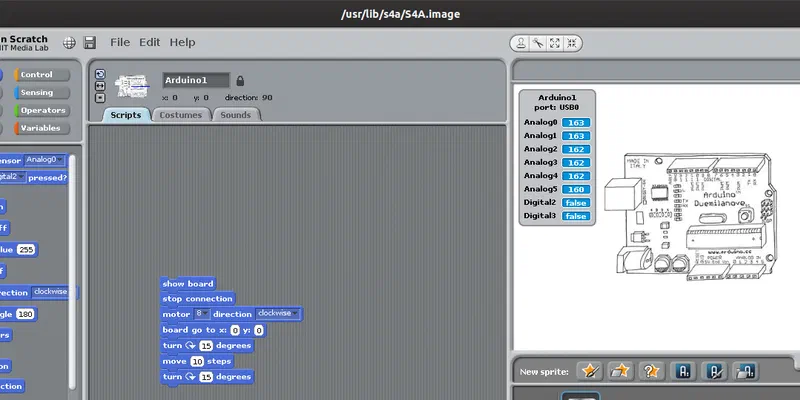
Tutorial: S4A on Ubuntu
S4A, or Scratch for Arduino, is an app that you can use to program Arduino boards using Scratch. You can program robots and LED’s without writing any code: all you need to do is drag and drop instructions in the visual programming environment.
Read More about Tutorial: S4A on UbuntuTags
Older blog (in Dutch)
In 2013 I blogged almost daily about my internship in Kigoma, Tanzania.
Read it →